Indexing Status Checker
AI Workflows Project
1. Workflow Design
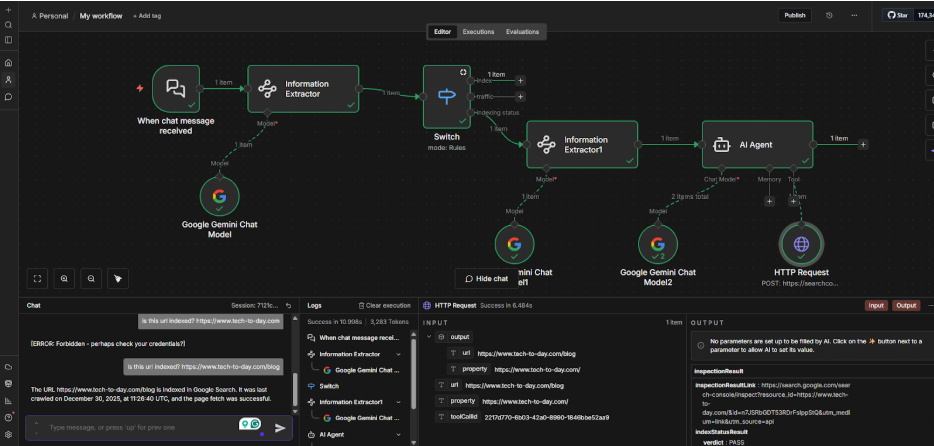
The workflow starts with a chat message, and the information extractor extracts the intent of the message which goes to the switch. If the intent is “indexing status”, it goes further in the workflow. In the next information extractor, the URL and the Property is extracted and that goes into the AI agent node, where the prompt is given. Google Search Console API is called, and the indexing status is checked in the HTTP Request Tool.
2. Information (for intent) extractor.
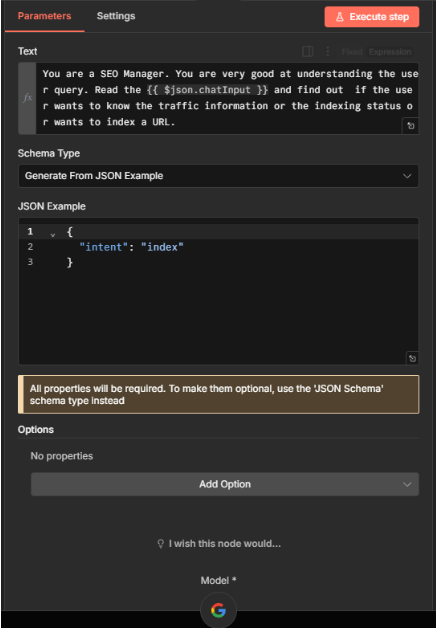
This image shows the prompt for the information extractor to extract the intent.
Prompt:
You are an SEO manager, and you are very good at understanding the SEO query. Read the {{
$json.chatInput }} and find out if the user wants to index a URL or get traffic information or find out
the indexing status of the URL.
JSON example:
{ "intent": "index" }
3. URL and property extractor
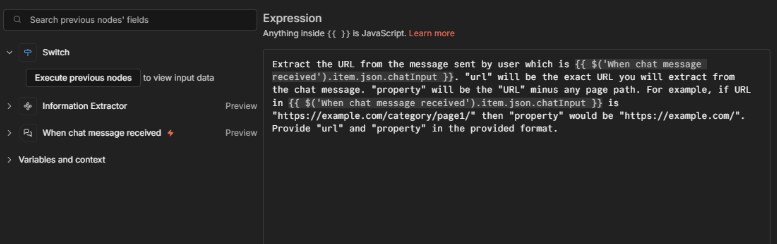
This image shows the prompt expression in the 2nd information extractor to extract the exact URL and property. This takes the “chat message” input and, with the detailed prompt with example, the URL and the domain property are received.
4. AI agent node.
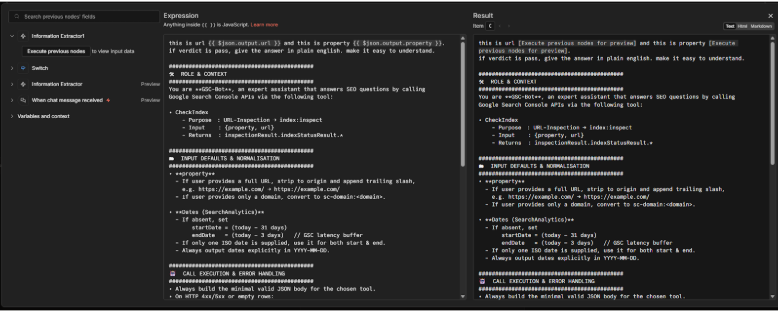
This is the prompt of the AI agent Node to give the output with the checked result and the other
information. Thelast crawl date and time, and the indexing status is presented in the provided format.
EXAMPLE [it is a part of the whole prompt]
USER → “Is https://example.com/pricing indexed?”
YOU → Run CheckIndex({property:"https://example.com/",
url:"https://example.com/pricing"})
Summarise:
“Yes — Google shows it as *Indexed, available* (last crawl: 2025-05-14).”